Choose scope
Device layers
Compare a browser extension with DNS and device controls. Learn why Firefox, Android, and iOS expose different boundaries rather than one interchangeable blocking API.
Explore device layersProtective software, with honest limits
A gambling blocker can put useful friction between an urge and a website. Building one starts with a smaller question than “How do I block everything?”: which device, browser, and route to the internet can you actually control?
These guides are for beginner developers making protective software for themselves. They connect DNS filtering, browser rules, device permissions, and failure testing to the practical boundaries each approach has. The aim is an understandable barrier, not a claim that code can solve gambling harm.
Choose a blocking layer
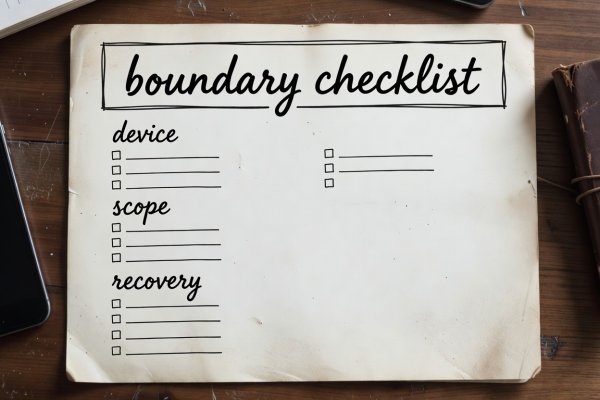
Write the intended boundary before choosing a library. “Block listed domains in my Firefox profile” is a testable promise. “Prevent gambling” is not: it includes behavior, other devices, and services your app cannot see. Keep the first version narrow enough that you can explain a failure without guessing.
Save this scope statement alongside your code. It becomes a reference for both testing and honest wording in your interface.
Compare a browser extension with DNS and device controls. Learn why Firefox, Android, and iOS expose different boundaries rather than one interchangeable blocking API.
Explore device layers
Turn a hostname list into explicit decisions. Separate normalization, subdomain matching, exceptions, and updates so one ambiguous entry cannot silently widen the block.
Work through domain rules
Exercise shutdowns, alternate routes, and mistaken matches. A repeatable test record reveals the difference between a working rule and a dependable operating process.
Plan boundary checks
Connect technical friction with options beyond a device. Understand why support, financial boundaries, and agreed help from another person deserve separate attention.
Consider human supportLayering helps only when the layers cover different routes. Two controls that depend on the same browser profile can both disappear when that profile changes. Use the following comparison to identify a gap, not to label any option as unbreakable.
| Layer | Useful job | Remaining route |
|---|---|---|
| Browser rules | Stop matching requests in the configured browser | Another browser, profile, or disabled extension |
| DNS filtering | Refuse resolution of listed names | Another resolver, encrypted DNS, or a different network |
| Device controls | Restrict selected settings or applications | Administrator changes, recovery, or another device |
Include unwanted blocking in this assessment. A barrier that prevents access to a support organization or breaks routine work may be abandoned. Check exceptions with the same care as blocking rules.
Gambling can cause financial, emotional, and relationship harm. Help is available without blame: in the United States, the National Problem Gambling Helpline offers a route to support through the National Council on Problem Gambling. A qualified professional can help you consider your circumstances; this material is general information, not personal medical, financial, or legal advice.
A working blocker does not measure recovery. Keep support contacts reachable, make room for conversations with a trusted person if appropriate, and avoid logging browsing histories as a substitute for care.
No. Permissions, operating systems, and network ownership limit what an app controls. Start with a declared surface rather than a universal claim.
No. DNS resolves names; it does not normally see the path after a hostname. Browser request rules can operate at a different level.
Usually that is unnecessary for the blocking decision. Prefer synthetic tests and minimal diagnostic counters over sensitive browsing logs.
Read the questions